Every journey,
beautifully kept.
Manually start a journey on iPhone to save your route, distance, and drive time on your device. No account required.
See the private driving journal overview JourneyDeck
A private journal of your drives, with the music that made them memorable. Save your route on iPhone, match a soundtrack from your Apple Music listening history, and keep photos and notes with your Memories. Your journal lives on your device. No account required. Optional private iCloud brings your library to iPad.
See how Apple Music soundtracks workStart with a 3-day Plus trial. Keep recording for free on iPhone after the trial. See Free & Plus pricing.
5.0 out of 5 · 2 ratings on the US App Store
Checked October 7, 2026. Read ratings & reviews ↗
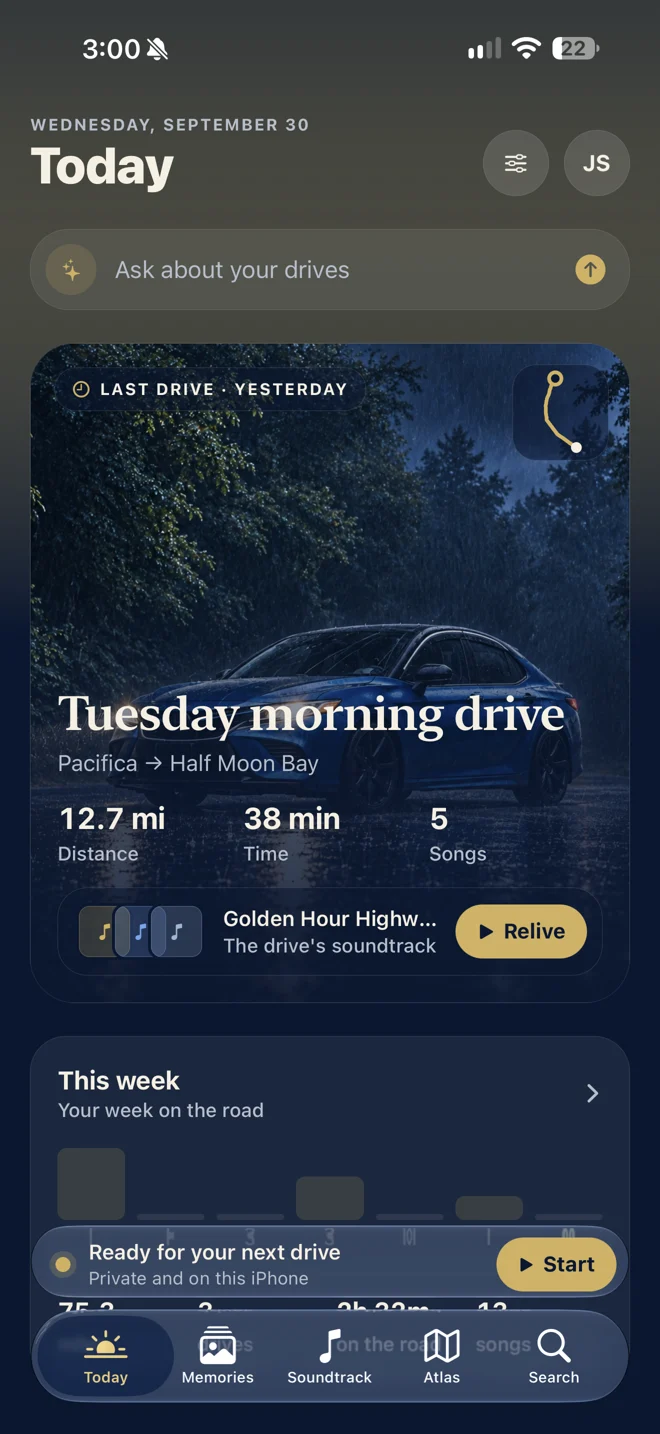
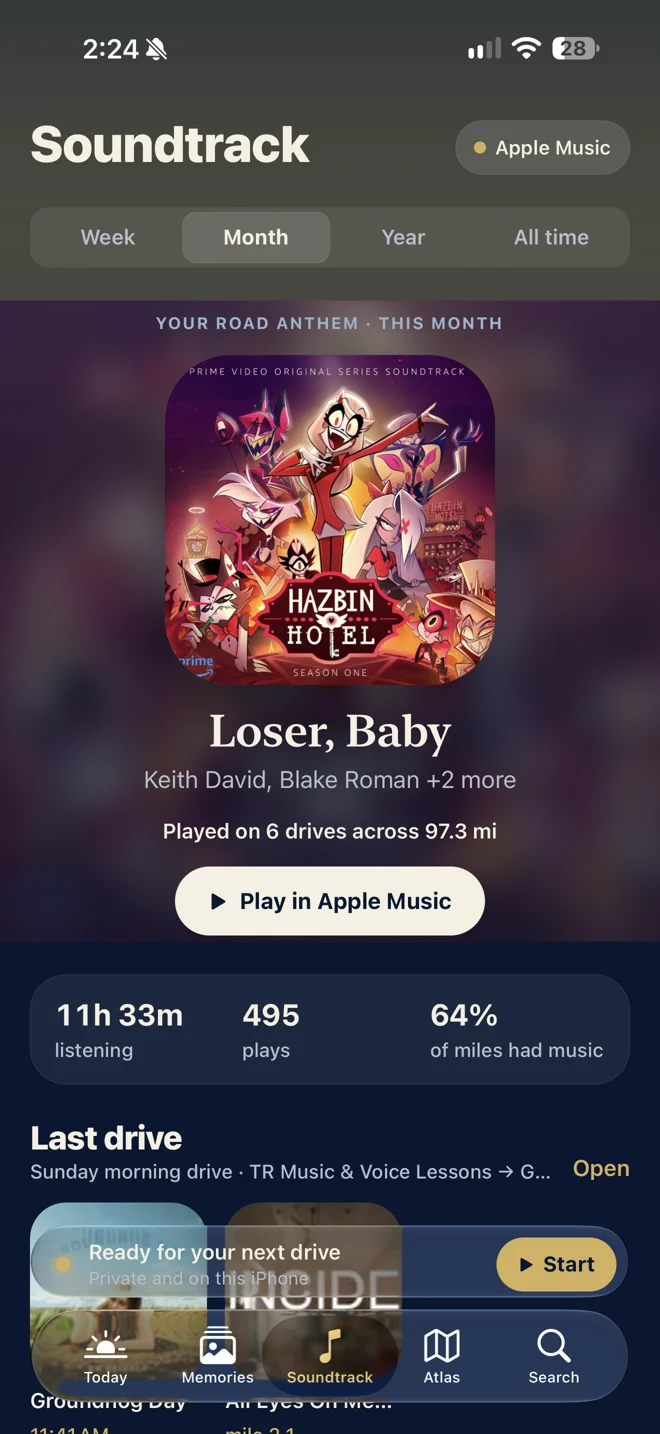
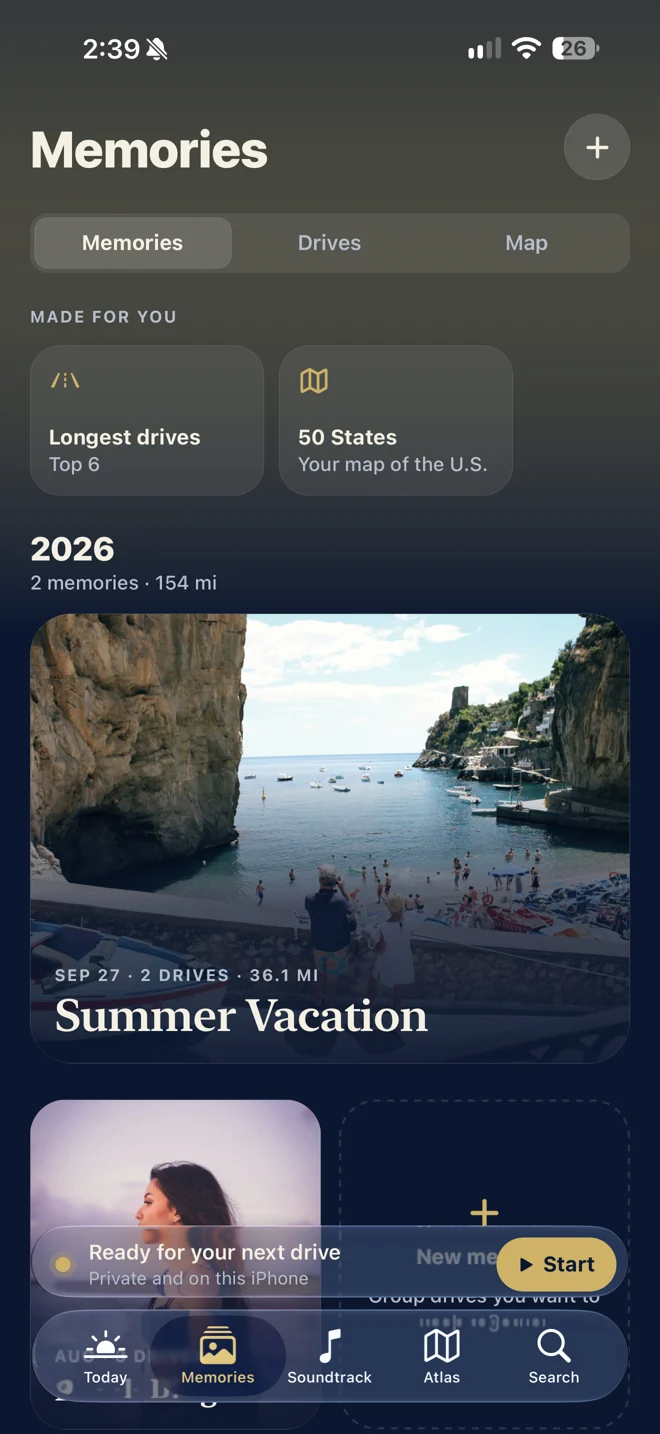
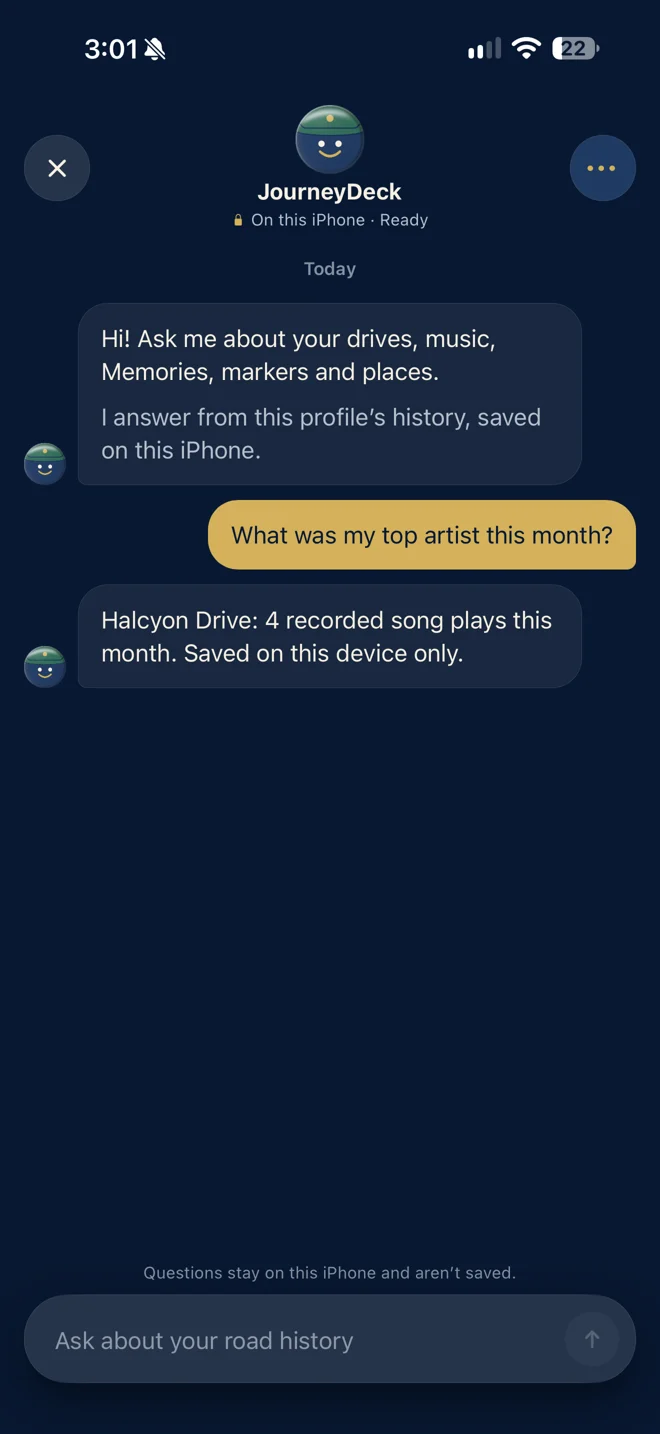
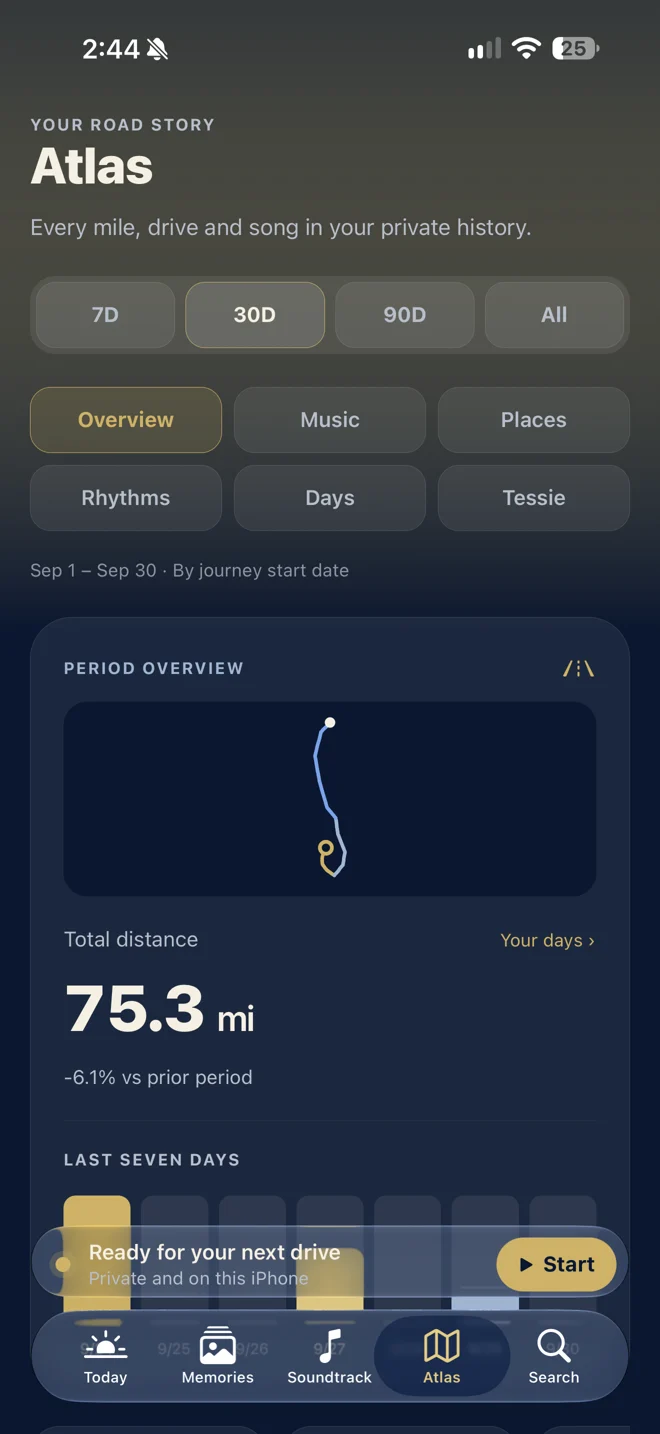
Start a journey with one tap. Your route, time, and distance come together in a journal that’s yours to keep.
THE EVERYDAY. WORTH REMEMBERING.
That perfect song on the way home. A weekend away. The detour you’re glad you took. JourneyDeck brings the pieces back together.
Manually start a journey on iPhone to save your route, distance, and drive time on your device. No account required.
See the private driving journal overviewRecord a drive, then revisit it with an optional soundtrack matched from your Apple Music listening history. Hear a song you want to keep? Tap Identify Song to recognize it with ShazamKit. The microphone listens briefly for that request; audio is never saved.
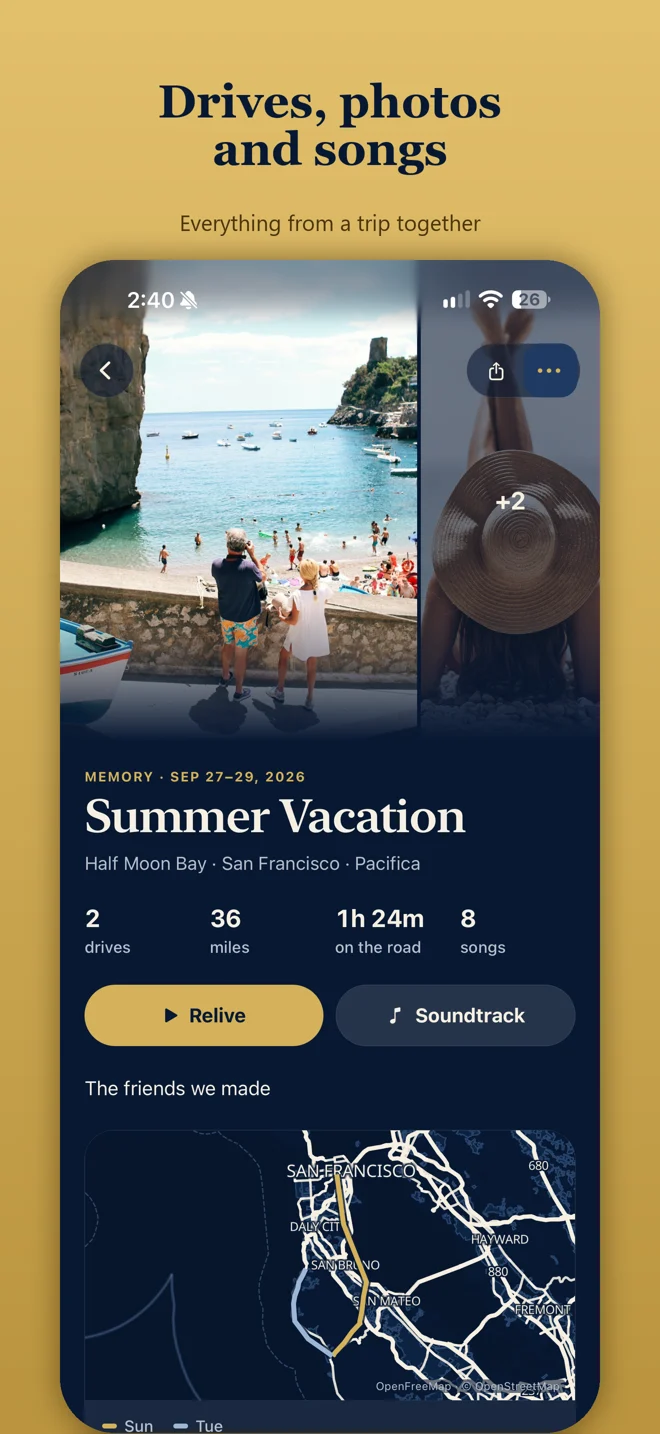
Explore Apple Music soundtracksGroup related drives into Memories and add your own photos and notes.
ROUTE REPLAY / JOURNEYDECK 4.0
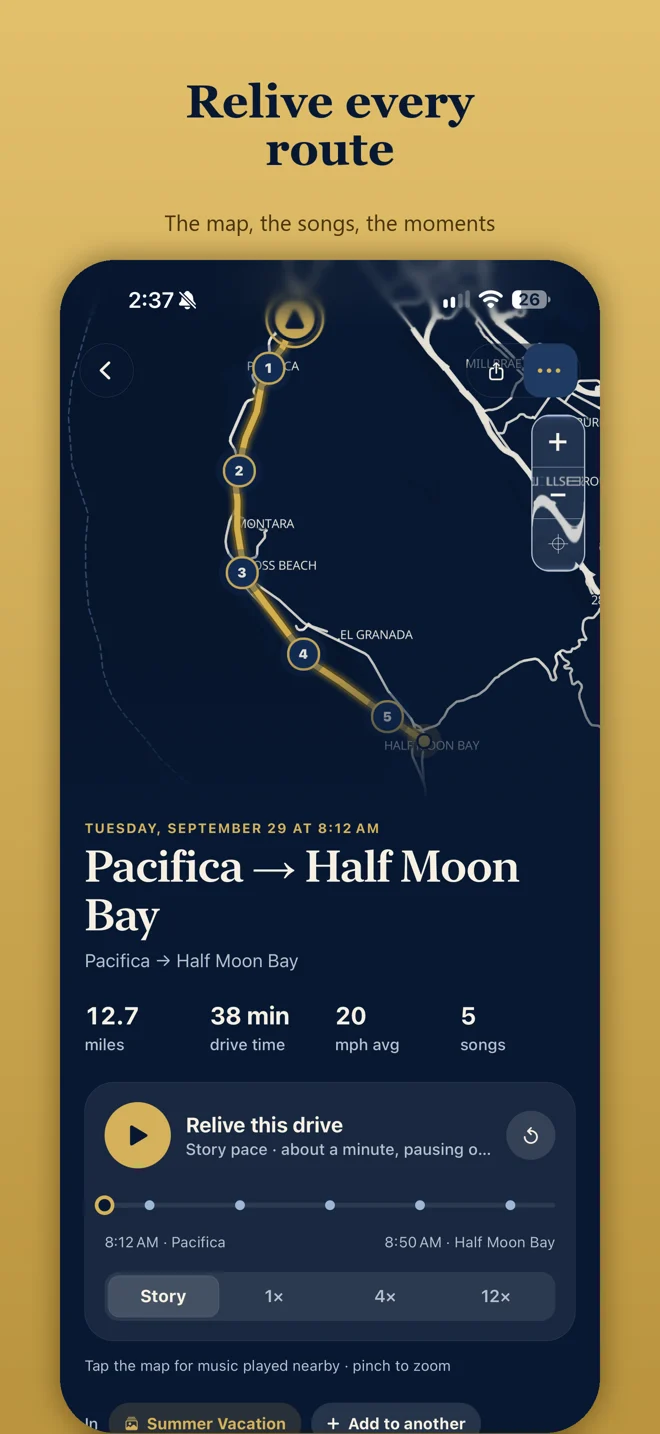
Replay a journey you recorded on iPhone. Move through its route at your own pace and revisit the soundtrack moments saved along the way.
Start and finish recording intentionally. When the drive is over, the road and its music are there to explore together.

THE MEDALLION COLLECTION / TRY IT HERE
Ten medallions for the roads, songs, and memories that make your story. Pick one. Turn it over. Find your favorite finish.

Explore ten milestones in four appearances.
MUSIC / 07 OF 10
Your listening history becomes part of the places and moments you remember.
Save 100 song plays with your journeys.
Explore the JourneyDeck medallion collection. Earn medallions as you save journeys, songs, and memories.
MEMORIES / PRIVATE SHARING
Bring related drives into a Memory, then add your own photos and notes. Review photo suggestions before adding anything to your archive.
ATLAS / JOURNEYDECK PLUS
Meet the bigger picture behind your everyday drives. Atlas connects your routes, familiar places, and listening habits into insights calculated on your device.
JourneyDeck Plus unlocks Atlas and your complete locally stored history. After the trial, free recording includes today’s journeys.
NEW IN 4.0
Ask questions about your journeys in the app or through Siri. Answers come from your archive on the device.
Add notes and photos during a drive with Journey Markers. They stay on your device and sync through your private iCloud.
The Start a Journey widget gives you another way to begin recording on iPhone before you set off.
A PLACE FOR EVERY DRIVE
Every new install starts with a 3-day Plus trial. Then keep recording for free, or choose a weekly or annual subscription for your full history and more ways to explore it.
JOURNEYDECK / FREE
Free to record. No account required.
JOURNEYDECK PLUS / OPTIONAL
US$0.99 / week or US$24.99 / year
Keep your full history in view and discover the places, songs, and patterns that make it yours.
A Plus membership is optional. Older local journeys are not deleted if membership expires. US App Store prices checked October 7, 2026. Prices may vary by region and can change; your local price and subscription terms appear in the app before purchase. Paid subscriptions renew automatically until canceled in your Apple account settings. The 3-day trial starts on a new install; purchasing Plus is optional.
OPTIONAL CONNECTIONS, EXPLAINED
Start with just your iPhone. Add these connections when they fit your story.
Allow Apple Music access to match songs from your listening history to your journeys. Some song locations may be estimated. Music access is optional.
How soundtrack matching worksIdentify Song is a button in JourneyDeck that uses Apple’s ShazamKit to recognize a song playing around you. It uses your microphone briefly after you tap, then stops listening. Audio is never saved. Use it when safely parked.
Tessie is a separate service for Tesla owners. Connect your own Tessie account to import vehicle drive routes and charging history into JourneyDeck. Requires JourneyDeck Plus and Tessie access; any Tessie fees are separate. You can record with your iPhone without Tessie or a Tesla.
IPHONE / IPAD / APPLE WATCH
From the first mile to a quiet look back, JourneyDeck has a place across your Apple devices.
Your pocket-sized driving journal.
Available now on the App Store.
Explore Today, Memories, Soundtrack, and Atlas with native navigation. iPad receives your library through private iCloud; recording needs an iPhone.
Start and stop a journey on your paired iPhone from your wrist.
YOUR FIRST JOURNEY
Start with a drive you were going to take anyway.
Download JourneyDeck, open the app, and allow Location access. Connect Apple Music if you’d like a soundtrack.
Start from Today, the Start a Journey widget, Siri, or your paired Apple Watch. Put your phone away and enjoy the drive. Your route keeps recording while the phone is locked.
Once you’re parked, end the journey. Explore your route and songs, then bring your favorite drives and photos into a Memory.
PERSONAL BY NATURE. PRIVATE BY DESIGN.
Your journal starts on your device. Core recording works offline, without an account or a subscription.
EVERY ROAD HAS A SOUNDTRACK.
Explore JourneyDeck on the App Store.
